Architecting Static Site Generator (SSG)
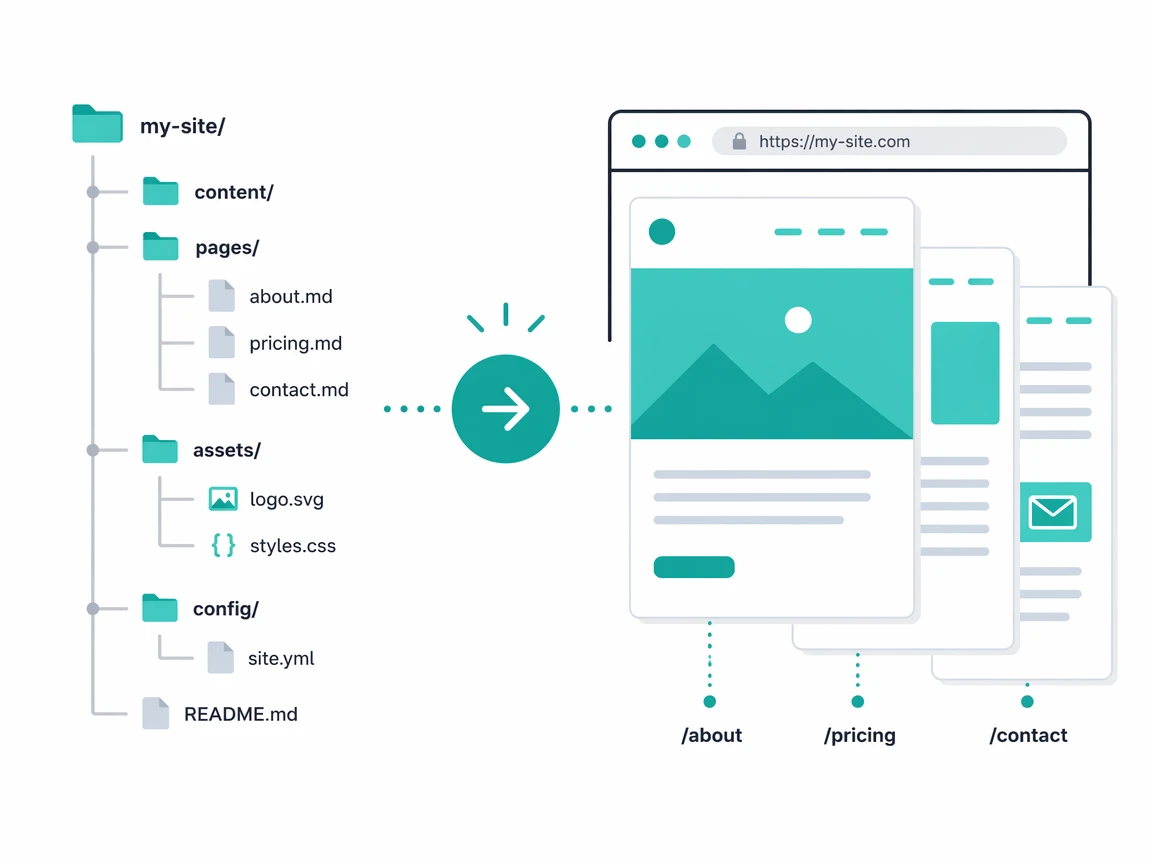
Drop Markdown, Ship Pages
SEO bolted on after launch never catches up, so this generator wires structured data, feeds, and i18n into the build from day one.
Every page ships with JSON-LD, an RSS entry, and a sitemap line because the build handles it, not a plugin added six months later when rankings stall, and the content author never touches a meta tag because frontmatter drives the whole SEO surface.
A Generator Worth Building
Most static site generators fall into two camps. Either they are blog-focused and struggle with structured data, or they are config-heavy and demand a plugin for every feature. The gap was a generator that treats SEO as a first-class concern, handles multiple languages natively, and ships feeds and search in one build without external glue or brittle workarounds.
Reading the gap in the docs makes the choice clear. SEO belongs in the build, languages in routes, and feeds in the same pass.
The cursor moves down the docs and the gap keeps showing up, structured data tacked on late, languages handled with plugins, and feeds glued with scripts that break. Treating all of it as build concerns changes how the editor feels, every page lands with its schema, its alternates, and its feed entry already attached, and nothing demands a second tool to finish the job.
Existing generators failed a deeper requirement too, because this SSG wires into a CMS where users manage content through a dashboard and the build renders pages on publish, similar to how Blogger handles templates but with full control over structured data and routing, so picking an off-the-shelf tool meant losing the integration that keeps CMS and build as one pipeline.
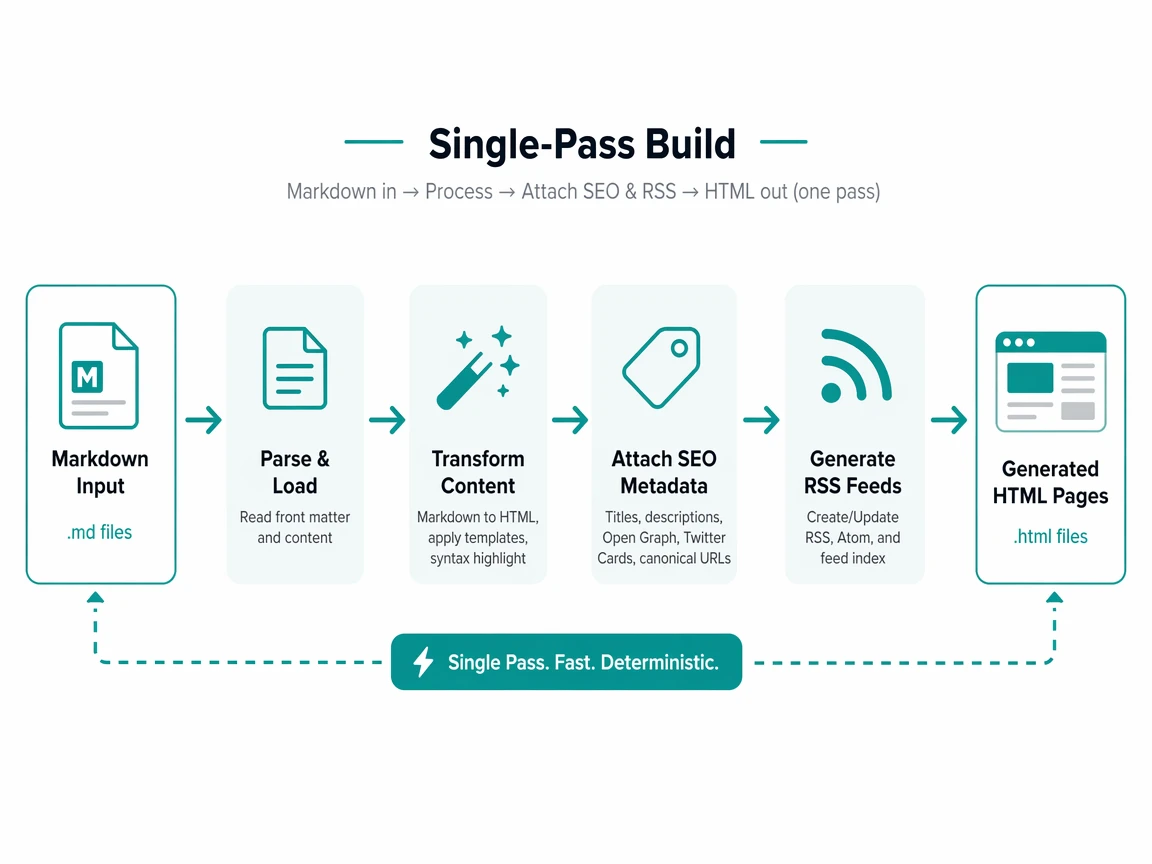
Obstacles in the Path
- SEO structured data is usually an afterthought, not a built-in.
- Internationalization needs hreflang, alternates, and locale-aware collections.
- File-based routing with dynamic routes and taxonomy gets complex fast.
- Keeping the build fast while writing feeds, search, and sitemaps together.
Build Once, Output Everything
- Turn Markdown into pages with zero-config defaults that just work.
- Emit SEO meta and JSON-LD structured data per page type automatically.
- Generate RSS, Atom, and JSON feeds per collection out of the box.
- Handle multiple languages with hreflang alternates and locale routing.
- Keep the build pipeline composable so optional steps only run when configured.
Frontmatter Drives the Build
The strategy is frontmatter-driven. Each Markdown file carries its own metadata, and the build reads it to decide the layout, schema type, collection, and locale. A templating engine separates layout from content, so a page picks its template by name and inherits a shell with slots and partials. Every stage after rendering is optional, turned on by a single config flag.
Reading the approach in the docs feels like one line from file to page. The frontmatter carries the metadata, the build picks the layout and schema, and the template pulls in a shell with slots and partials. Every stage after rendering is optional, turned on by a flag, so small sites stay fast and big sites opt into feeds and sitemaps without paying for what they skip.
The docs make the flow read like a straight line, frontmatter in, page out, and optional stages waiting for a flag to turn on.
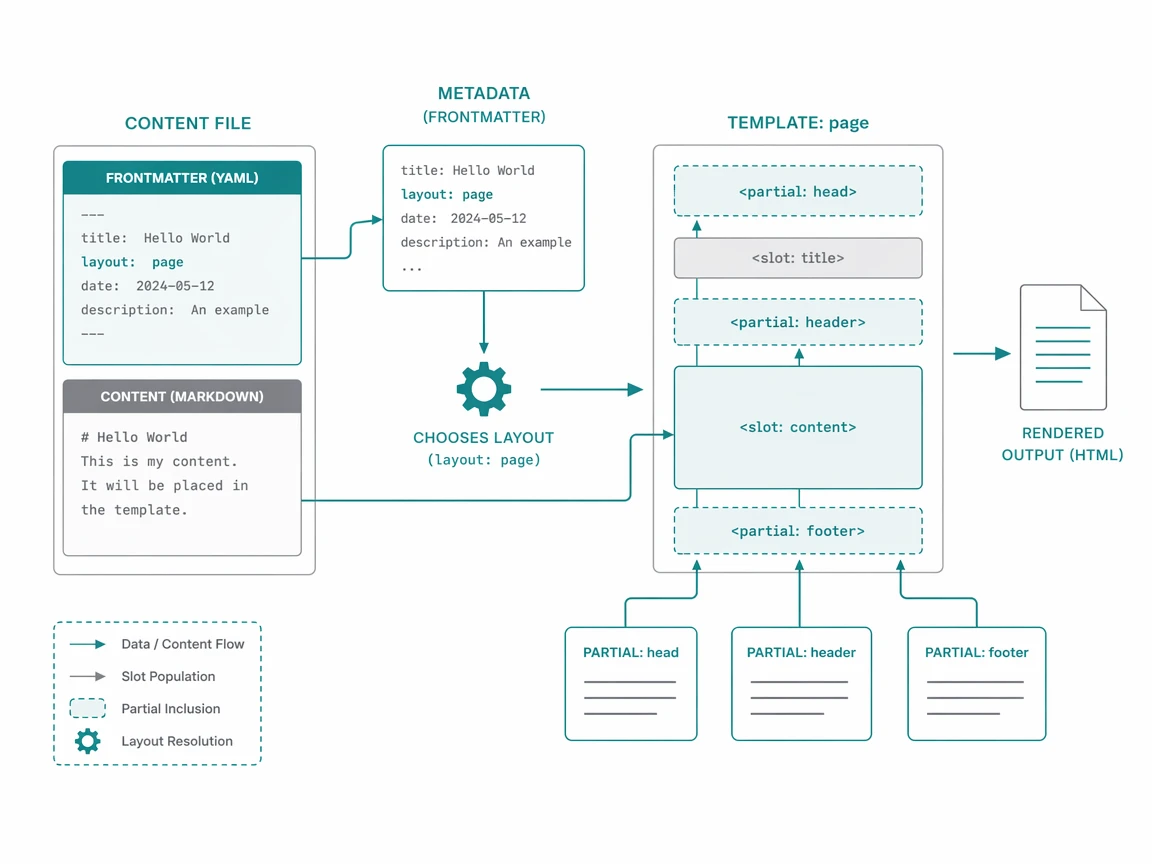
Files Map to Routes
Every Markdown file under the content directory becomes a route. The file path turns into the URL, the YAML frontmatter sets the metadata, and the body renders through a template. A GitHub Flavored Markdown Parser handles tables, task lists, and syntax highlighting, powering body rendering so what gets written in the editor is what lands on the page, keeping flow smooth.
---
title: Wireless Headphones
layout: product
seo:
  description: Noise-cancelling over-ear headphones.
date: 2026-06-01
---

# Wireless Headphones

Product details in Markdown.
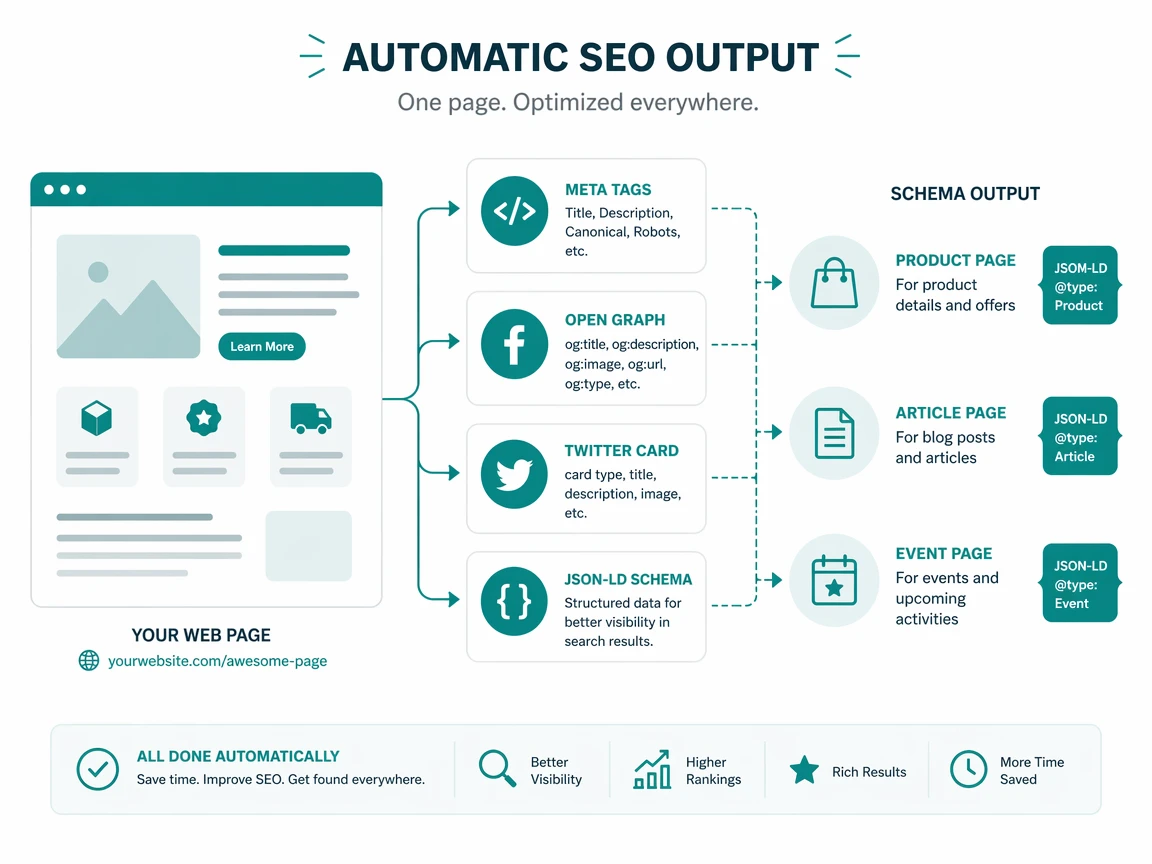
Each page emits an SEO block with meta tags, Open Graph, Twitter cards, and a JSON-LD schema.org graph. The schema type resolves from layout, so a product page emits a Product node, a blog post emits a BlogPosting, and an event page emits an Event.
<!doctype html>
<html lang="en">
  <head>
    {{{ seo }}}
  </head>
  <body>
    {{{ content }}}
  </body>
</html>
When internationalization is on, the build detects each page locale from its URL, links every translation with hreflang tags, and adds alternates to the sitemap, and feeds, search, and sitemap are all written in the same pass producing the full site.
Landed Build Outputs
| Feature | Delivered |
|---|---|
| Page types supported | 11 schema types including Product and Event |
| Feeds per collection | RSS, Atom, and JSON in one build |
| Languages | Locale routing with hreflang alternates |
| Search index | Auto-generated with configurable fields |
| Build output | HTML, SPA bundle, sitemap, robots, feeds |
| Throughput | 1,279 pages per second on Apple M3 Pro |
At 502 pages the full pipeline finishes in 392 milliseconds running parse, render, SEO, feeds, sitemap, search, and minify as one.
Each additional page costs under 0.79 milliseconds because fixed overhead amortizes as content grows, so doubling the page count barely shifts total build time, and the numbers hold steady from 50 pages through 500 with no degradation in per-page cost, confirming the architecture scales without caches or incremental rebuilds to keep latency flat under growing load.
A generated page carries that speed into the browser, and a Lighthouse run confirms it, with desktop landing a perfect 100 across performance, accessibility, best practices, and SEO while mobile matches every score even under network throttling.
| Metric | Desktop | Mobile |
|---|---|---|
| Performance | 100 | 100 |
| Accessibility | 100 | 100 |
| Best Practices | 100 | 100 |
| SEO | 100 | 100 |
| First Contentful Paint | 0.3 s | 1.1 s |
| Largest Contentful Paint | 0.7 s | 1.8 s |
| Total Blocking Time | 30 ms | 0 ms |
| Cumulative Layout Shift | 0 | 0 |
| Speed Index | 0.7 s | 1.1 s |
Verified on PageSpeed Insights @ Report from Jul 9, 2026, 1:45:23 PM.
The scores land because SEO meta, structured data, and zero layout shift come baked into the build, so the same defaults that keep the pipeline fast also keep the shipped page green without a manual audit ever chasing lost points after launch day.
Decisions Worth Keeping
- Treating SEO as a build concern, not a plugin, removes an entire class of gaps.
- Frontmatter-driven metadata keeps content portable and templates decoupled.
- Optional pipeline stages let small sites stay fast and big sites opt in.
- An SPA bundle gives instant navigation without a framework.
Because schema type resolves from layout and every collection ships feeds, the same build powers work that looks unrelated on the surface, so the generator stops reading as a blog tool and starts reading as a content engine wearing many hats at once.
| Use Case | Why It Fits |
|---|---|
| E-commerce | Product schema, catalog from Markdown, SEO emitted per listing |
| SaaS marketing | Landing pages, docs, blog, and changelog from one source |
| News portal | RSS, Atom, and JSON feeds with categories, search, and i18n |
| Product docs | Multiple languages, search index, and version routing |
| Course platform | Chapters authored in Markdown with room to add progress state |
| Agency white-label | Clients edit Markdown while the agency deploys on publish |
| Marketplace listing | Each listing is Markdown plus frontmatter driving its schema |
The through-line is one engine reading frontmatter and folders, so a store, a docs hub, and a news feed all build from one pass.
Folder Becomes Full Site
Staverse turns a folder of Markdown into a complete static site with SEO, feeds, search, and internationalization in one build, growing from a way to ship pages into a generator treating structured data, multilingual content, and speed as defaults.
Looking back at the docs, the build reads as one pass from folder to site, Markdown in, pages out, and every concern from SEO to search lands in the same run without a script holding it together, so the editor stays quiet and output keeps stacking.
The docs end where they started, with files in and a site out, and the path between them reads clean, short, and clear throughout.